
Glbtolitematic web v1.0
English
Start creating

Format comparison

A practical cubical xyz alternative for GLB to Litematic

Use this guide to decide whether a direct GLB-to-Litematic workflow fits your build, or whether Cubical XYZ remains the better choice for editing, inspection, and Minecraft placement.

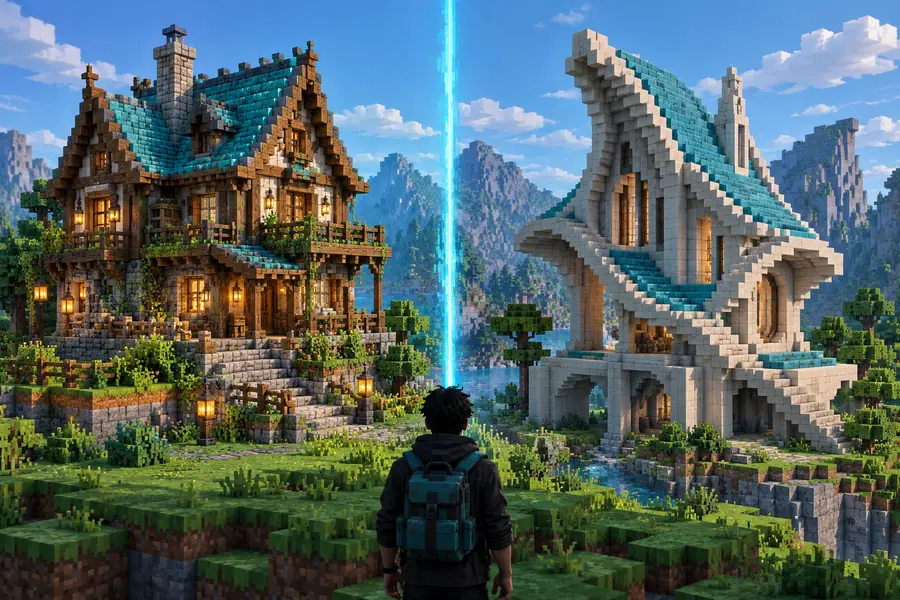
Voxel-style Minecraft structure beside a 3D model

Decision guide

Dimension by dimension

Different users value different parts of the pipeline. These scenarios show where each route is most useful.

The fast Minecraft builder

You already have a GLB asset and want to test its silhouette in a Minecraft environment without spending time rebuilding the shape by hand.

A direct conversion workflow is the stronger starting point. The glb to litematic converter online route keeps the source and destination aligned with the intended build format.
glb to litematic converter online

The precision voxel editor

You want to inspect individual blocks, clean up awkward surfaces, and make deliberate changes before placing the structure in a world.

Cubical XYZ may suit you better because an interactive voxel editor can make manual cleanup the central part of the process.

glb to litematic free

The Java schematic user

Your existing Minecraft workflow is built around schematic libraries, world-editing tools, or a server process that expects schematic-style assets.

Compare the destination carefully before converting. The glb to schematic minecraft path may reduce friction when the downstream tool does not read Litematic files.

glb to schematic minecraft

The Bedrock pipeline owner

The final structure must be used in a Bedrock project or passed to a tool that expects the MCStructure format.

Treat Litematic as an intermediate step only when it helps your workflow. The litematic to mcstructure route explains the next conversion stage.

litematic to mcstructure

Workflow

Who each route suits

A useful comparison starts with the same three checkpoints: define the destination, convert the geometry, then review the voxel result.

  1. 1

    Confirm the destination

    Decide whether the finished asset needs to be Litematic, schematic, or MCStructure before choosing a conversion route. The destination determines which follow-up tools remain available.

  2. 2

    Convert the source model

    Prepare the GLB with a sensible scale, orientation, and visible surface. Then run the conversion path that matches your intended Minecraft format.

  3. 3

    Inspect and refine

    Open the result in the tool used by your build process. Check scale, empty space, surface detail, and block choices before treating the structure as production-ready.

Workflow fit

Migration path

Think of the move from Cubical XYZ as a change in where decisions happen: before conversion, during voxelization, or after the Litematic is created.

Mesh-based source model for the conversion workflow
GLB input
Minecraft structure format for continued Java-world work
Litematic output
Optional destination when the project continues into a Bedrock-oriented pipeline
MCStructure next step

Visual checkpoint

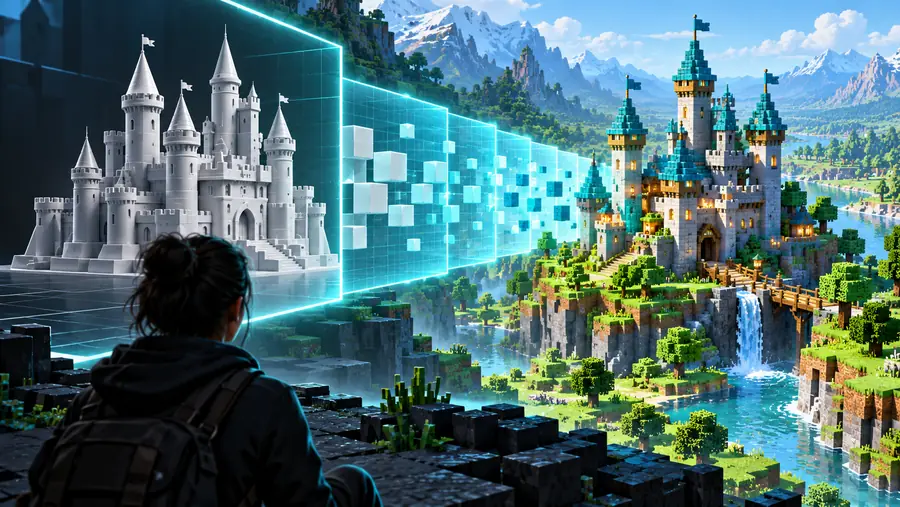
Migration path: from mesh to blocks

The important change is not only the filename. It is the shift from continuous mesh geometry to a block-based structure that must be inspected at Minecraft scale.

GLB model prepared for voxel conversion
Before: GLB mesh
Minecraft structure represented as a Litematic-ready build
After: voxel structure

Review scale and surface detail before placement.

Before: GLB meshAfter: voxel structure

Honest limits

Migration path: what conversion cannot do

A conversion route can change representation, but it cannot remove every modeling decision. Plan for review where the source mesh and Minecraft blocks behave differently.

1

It cannot preserve smooth surfaces perfectly

A GLB may contain curves, bevels, and fine detail that do not map cleanly to a discrete block grid.

What to do instead

Use a larger working scale for important silhouettes, then simplify small details that become noisy or fragile.

2

It cannot infer your preferred block palette

The source model describes shape and appearance, but the best Minecraft material choices depend on the build style and available blocks.

What to do instead

Treat material assignment as a review pass rather than assuming the first mapping is final.

3

It cannot guarantee world-ready placement

Orientation, origin, scale, and clearance can still need adjustment after the file is created.

What to do instead

Open the result in the target editing workflow and verify the footprint before pasting it into a live world.

4

It cannot replace format validation

A file that looks correct in one editor may not suit a server plugin, mod, or Bedrock tool expecting another structure format.

What to do instead

Confirm the destination format early and convert again only when the receiving tool requires it.

Side-by-side

Dimension by dimension: Cubical XYZ and a direct route

Cubical XYZ is strongest when hands-on voxel editing is the priority. A direct GLB-to-Litematic route is stronger when reducing format handoffs is the priority.

Cubical XYZ Direct GLB to Litematic route
Primary role Interactive voxel modeling and editing Moving a GLB asset toward a Minecraft structure
Best starting point Users who want to shape and inspect voxels manually Users who already have a usable GLB model
Main advantage More opportunity for hands-on cleanup before export Fewer conceptual steps between source mesh and target structure
Main tradeoff May require more manual work before the build is ready Still needs inspection because automatic voxelization makes assumptions
Source focus Voxel editing environment Existing GLB geometry and its scale or orientation
Destination fit Depends on the export format supported by the workflow Designed around a Litematic-oriented Minecraft workflow
Detail handling You can manually adjust block-level features Fine detail is constrained by the chosen voxel resolution
Ideal decision rule Choose it when editing is the project Choose it when conversion is the project

Next move

Start with the asset and destination you actually have. If your GLB is already prepared and your Minecraft workflow expects a Litematic structure, a focused conversion path can be easier to evaluate than rebuilding the model from scratch.

Ready to test the better route?

  • Keep the intended Minecraft format in view
  • Review scale and orientation before placement
  • Use manual cleanup where the voxel result needs it
Start the GLB workflow

Comparison FAQ

Comparison FAQ

These answers address the common search behind a Cubical XYZ comparison: whether a different route is a better fit for the model, editor, and Minecraft destination.

A cubical xyz alternative is any workflow that takes an existing GLB mesh toward a Minecraft-ready structure without making interactive voxel editing the first step. For a Java-oriented build, a direct GLB-to-Litematic route is the most relevant comparison because it keeps the intended destination visible from the start.

Neither option is universally better. Cubical XYZ can be the stronger choice when manual voxel cleanup and visual editing are central, while conversion is more suitable when you already have a prepared GLB and want to reach a Litematic-oriented workflow with fewer format decisions.

No. A GLB contains mesh detail that must be represented on a block grid, so curves, thin parts, textures, and small decorative features may change or disappear. Review scale, silhouette, and material mapping after conversion, then simplify or rebuild details that do not survive voxelization.

Choose the format required by the editor, mod, server tool, or world workflow that will receive the structure. Litematic is a useful destination for many Java-world building workflows, while schematic or MCStructure may be more appropriate when a downstream tool explicitly expects those formats.

Start creating
Start creating