Minecraft builder
You have a GLB house, tower, or prop and want to turn its broad silhouette into a buildable reference.
A Litematic-oriented result gives you a clearer starting point than rebuilding the shape from memory.
Before you begin
This glb to litematic free guide explains what to prepare, what the conversion path looks like, and where a Minecraft build may need manual cleanup.
Related routes
Who this helps
The route is most useful when you know what the source model represents and can judge whether the voxelized result matches the intended build.
You have a GLB house, tower, or prop and want to turn its broad silhouette into a buildable reference.
A Litematic-oriented result gives you a clearer starting point than rebuilding the shape from memory.
You want to preview how a detailed asset reads after it is interpreted through a block-based Minecraft workflow.
You can evaluate proportions, major surfaces, and recognizable features before committing to manual edits.
You are preparing a landmark or themed structure and need a repeatable way to move from a reference asset to a construction plan.
The conversion becomes an early planning step rather than the final claim that every block detail is production-ready.
You are testing whether an existing GLB can become a useful block model without learning a full 3D editing pipeline first.
A guided handoff helps you focus on the shape and the intended Minecraft result.
The workflow
Treat the process as a shape-translation exercise: prepare the source, describe the intended result, then inspect the outcome before building around it.
Use a model with a clear subject, sensible scale, and a visible main form. Remove unnecessary scene elements when they would make the intended structure harder to recognize.
Describe whether you want a compact build, a landmark, a prop, or a reference shell. Mention the features that must survive the block-based interpretation.
Check silhouette, proportions, openings, and placement. Treat the first result as a construction aid, then adjust details that require Minecraft-specific judgment.
Visual checkpoint
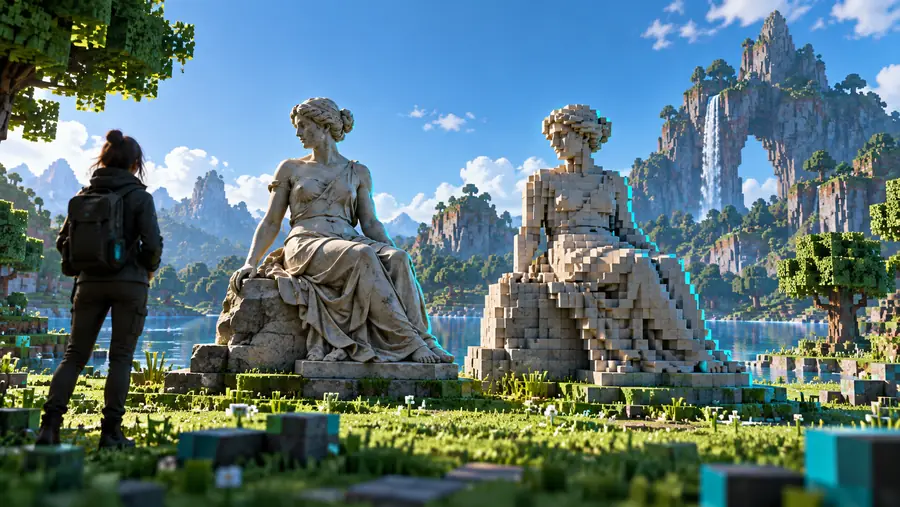
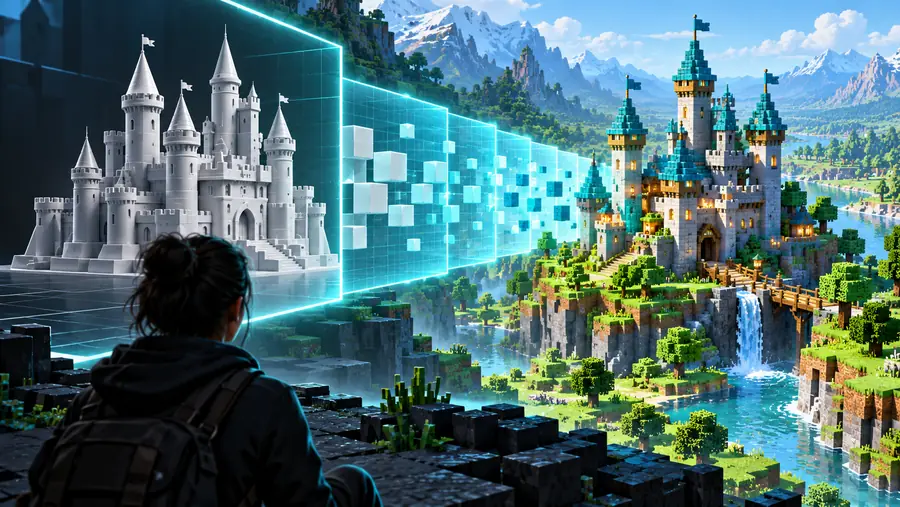
Compare the overall form first. Fine block detail comes later.
Source assetMinecraft-ready directionKnow the edges
A free-oriented workflow can remove setup friction, but it cannot make every source asset equally suitable for a block-based result.
Thin rails, small decorations, and subtle surface changes can be lost when a detailed mesh is interpreted as a Minecraft-scale structure.
What to do instead
Emphasize the features that matter most and add small details manually after the main form is placed.
Realistic textures, reflections, and complex material layers may not translate into the same visual language as Minecraft blocks.
What to do instead
Judge the output by color grouping and silhouette, then choose block palettes yourself.
A visually correct model can feel too large, too small, or awkwardly proportioned once placed beside Minecraft terrain and players.
What to do instead
Test the footprint against a known in-game reference before building the surrounding area.
Conversion can provide a useful starting point, but it cannot replace decisions about interiors, structural logic, access, or server-specific constraints.
What to do instead
Use the result as a guide and reserve a cleanup pass for gameplay and construction needs.
Choose the path
The right route depends on whether your priority is a low-friction start, a browser workflow, or a particular Minecraft file direction.
| Guided conversion handoff | Manual preparation | |
|---|---|---|
| Starting point | Describe the intended Minecraft result from an existing GLB. | Open the asset in a 3D or voxel editor and prepare it yourself. |
| Setup effort | Lower initial friction for exploring a model direction. | Higher setup effort, with more direct control. |
| Shape control | Best for broad forms and recognizable silhouettes. | Best for exact edits, topology changes, and handcrafted details. |
| Material control | Requires interpretation into a block palette. | Allows deliberate palette and texture decisions. |
| Best use | Early concepting, references, and structure planning. | Final polishing and highly specific construction work. |
| Next step | Inspect the result and refine it for Minecraft context. | Export or place the manually prepared asset using your chosen tool. |
Ready to try
Bring a clear GLB subject and a specific building goal. The SupaVoxel handoff is designed to help you start from the intended result, then decide what deserves manual refinement.
Common questions
It usually describes a no-cost-oriented way to explore moving a GLB model toward a Litematic-style Minecraft building workflow. The phrase does not guarantee that every file, detail, or conversion step will be handled automatically.
Not equally well. Models with a clear silhouette and readable major forms are generally easier to interpret than assets built around tiny details, transparent materials, or complex animated scenes.
Not exactly. Minecraft uses a block-based visual language, so realistic materials and subtle texture effects may need to be simplified into color groups and a manually chosen block palette.
Usually, you should treat it as a starting point or reference rather than a finished structure. Check scale, proportions, openings, interiors, and practical placement before using it in a larger build.
Choose a GLB with a clear subject and decide what must survive the translation, such as the silhouette, roofline, tower shape, or major openings. A short, specific description of the Minecraft goal makes review easier.